Insta360 Nano S review: iPhone-friendly 4K 360-degree camera with great on-the-go editing software
This budget 360-degree camera works best with an iPhone, allowing the user to use filters and other software tricks such as simultaneous multiple viewpoints during filming

Remember how pricey laptops and smartphones used to be before they were commoditised? Now one can find a well-built, more than serviceable portable computer – in phone or computer format – for less than US$300. The same is happening to 360-degree cameras. These cost a big chunk of change as recently as two years ago. But now, there is no shortage of budget options out there that can shoot hi-res immersive 360-degree footage.
The Nano S from Shenzhen-based Insta360, however, stands out because of its software tricks.
Design and hardware
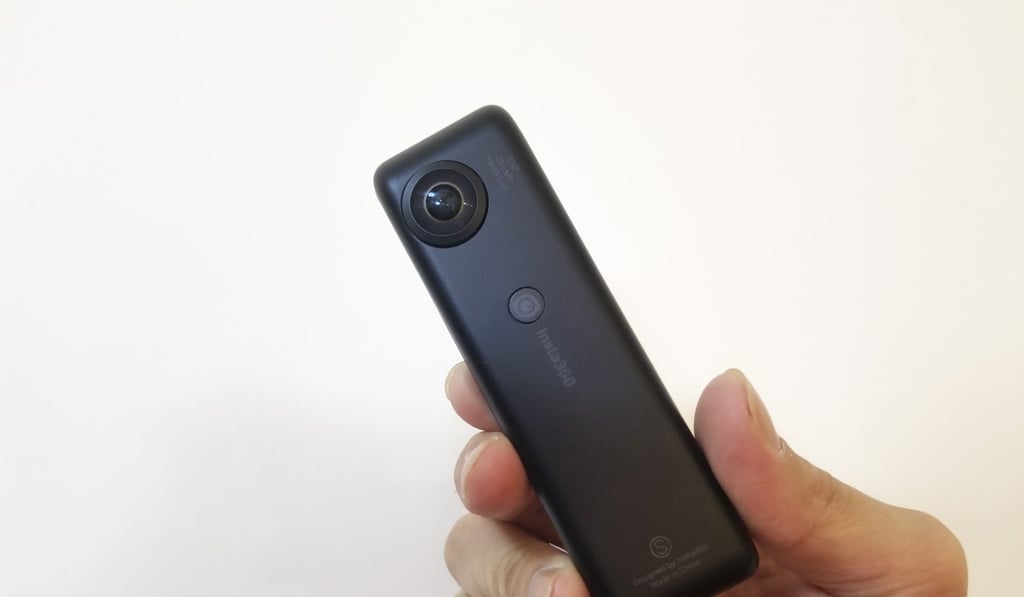
The Nano S is a small plastic device with two fisheye lenses on opposite sides that combine to record 360-degree videos in 4K resolution or shoot 20-megapixel still photos. There’s a single hardware button that serves as both power and shutter button, along with a microSD card slot for storage; a USB charging port; and a lightning plug for connecting to iPhones.
Review: Insta360 One 4K 360 camera – bullet time is fun, but great photos, video and design are what make this a winner
The latter is crucial, because the Nano S is best used as an iPhone accessory. When connected to an iPhone 6 or newer, you’ll be able to operate the camera within iOS via Insta360’s companion app and use the phone’s storage directly. The Nano S can work as a stand-alone camera, but you’ll need to use an SD card for storage, and you won’t be able to see what you’re shooting in real-time or make any edits to footage until it’s plugged into an iPhone or you physically move the SD Card data to a computer.