Apple iOS 14: new iPhone home screen shows more widgets and fewer apps, there’s a redesigned Siri and much more
- Following Android’s lead, apps can be stowed away in an App Library, while widgets of various sizes can be added to the home screen
- Users can continue watching a video even if they exit the video source window, and the new Apple Translate app supports 11 languages, including Mandarin Chinese
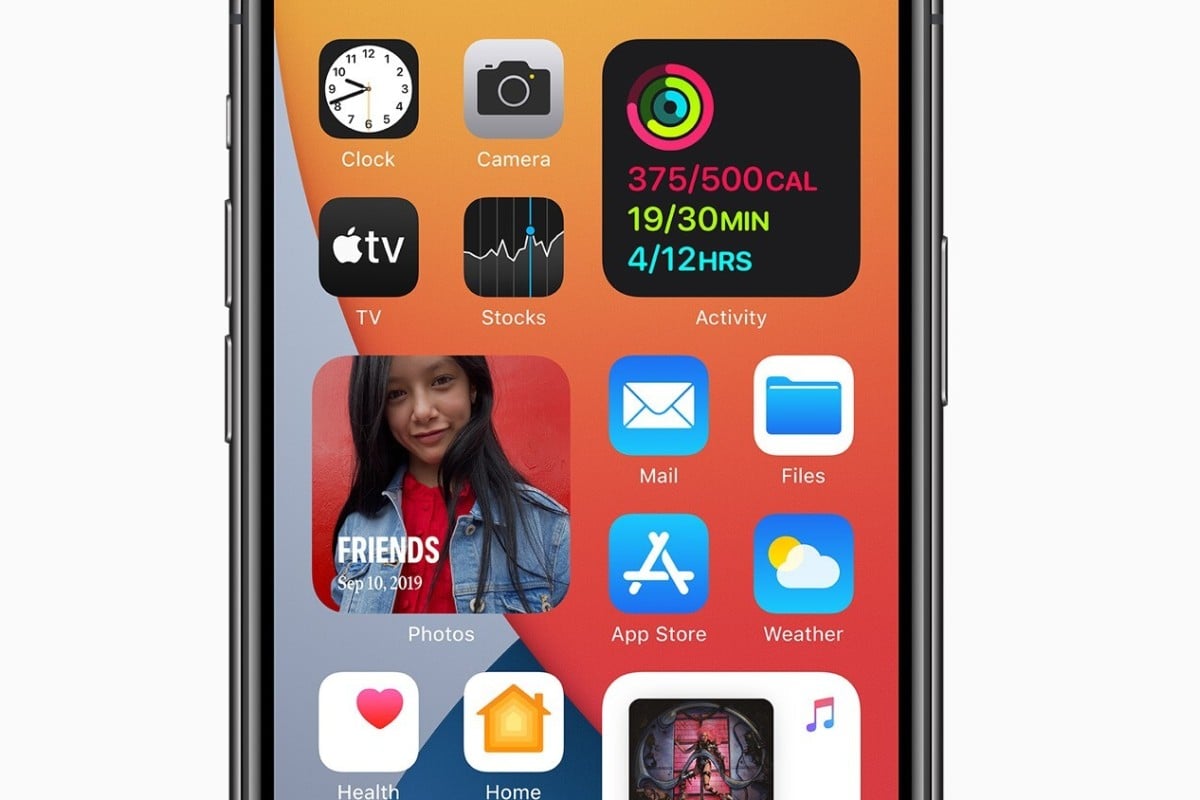
Following a relatively pedestrian update cycle last year, Apple’s operating system (iOS) is getting major upgrades for its 14th version, coming to iPhones this autumn.
The biggest changes will be immediately visible on the home screen, which can now host widgets, a floating video (picture-in-picture) and show fewer apps, as they can be stowed away in an “App Library” (yes, this is just like Android’s app drawer).
Android fans are likely to brag that these features have been available on their phones for years, but they’re still huge changes for iPhones, which for more than a decade has had a rigid, restricted home screen that can only host apps and nothing else.
As is often the case with Apple, it may be late introducing a useful feature, but it does it with more flair and refinement.
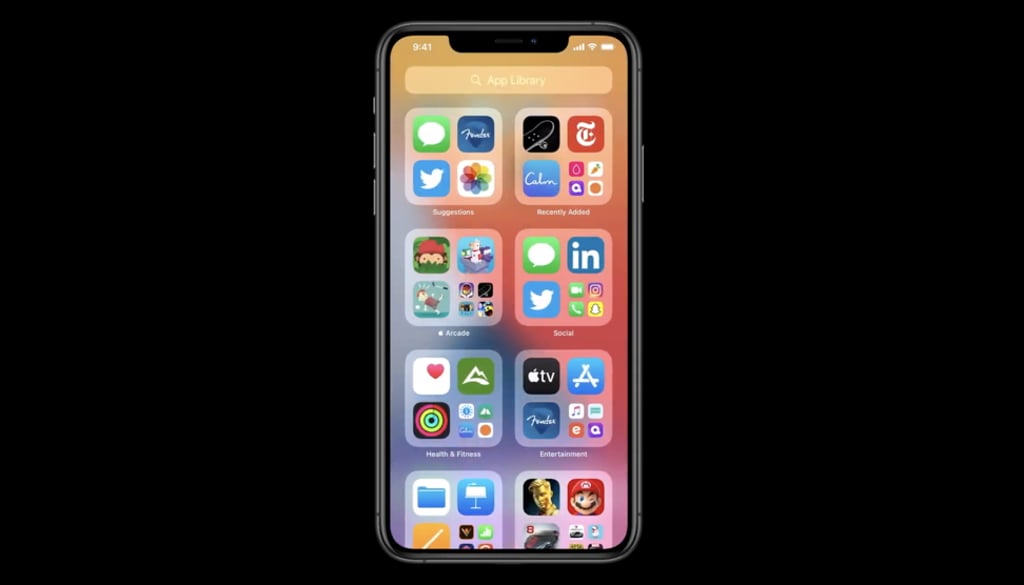
From the demonstrations shown onstage during the online-only Worldwide Developer Conference, the iPhone’s approach to widgets is more dynamic and intelligent than Android’s. For example, there’s an option to place a context-aware widget that will show different information throughout the course of the day: headline news first thing in the morning, daily schedule during work hours and traffic information after work.